Projector-first timing
Run a clean, high-contrast stage display with countdown, clock, title, notes, and progress bar controls that can be shown independently.
A calm, reliable countdown and projector controller for live rooms that need timing, titles, notes, reminders, and remote operation without drama.
Real app preview
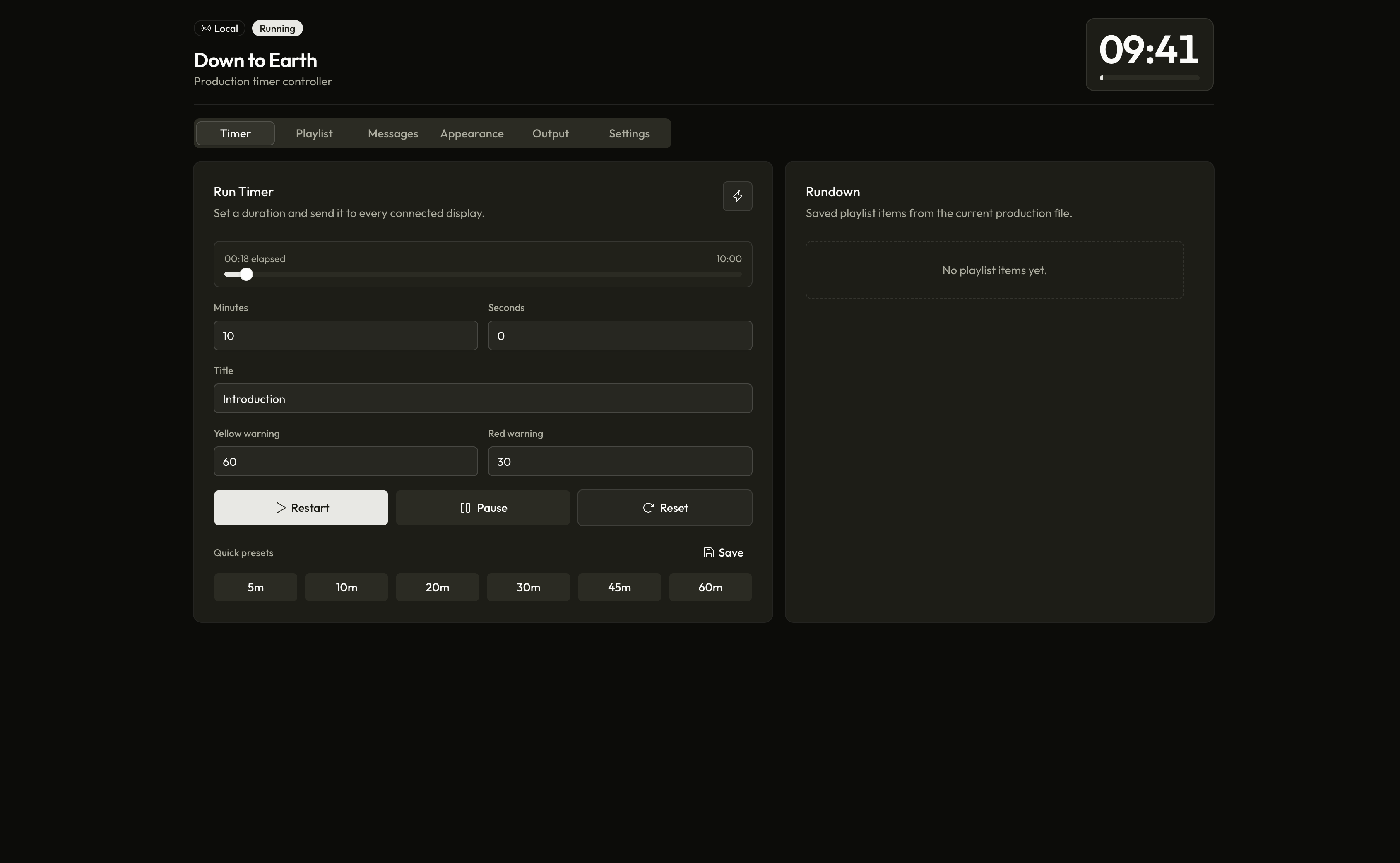
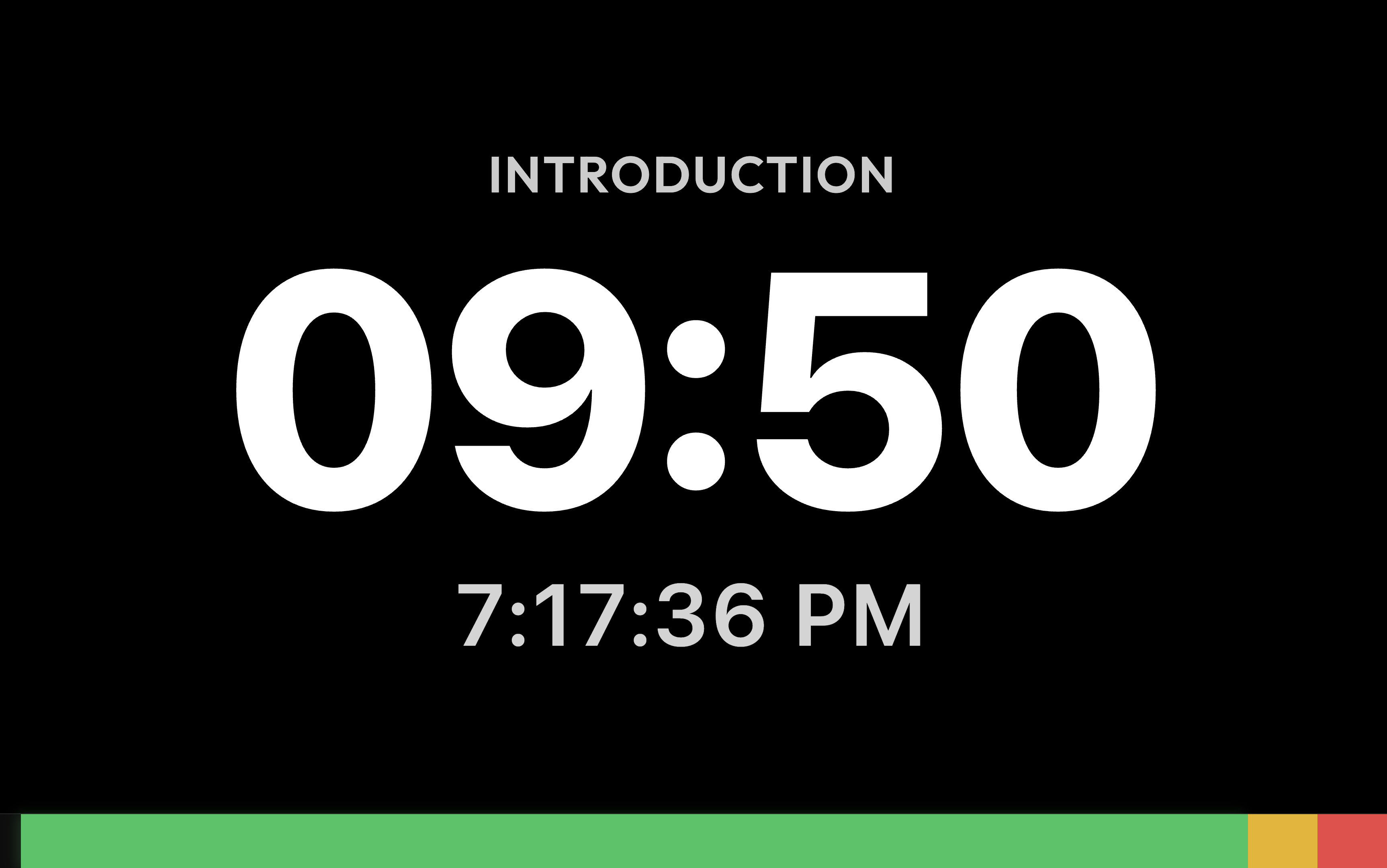
The controller keeps timing, rundown, messages, appearance, output, and settings close at hand. The projector strips everything back to what the room needs to see: title, timer, clock, and progress.
The main production surface for timer, playlist, messages, appearance, and output.
High-contrast stage output with timer, current title, clock, and progress bar.
Built for live operation
Run a clean, high-contrast stage display with countdown, clock, title, notes, and progress bar controls that can be shown independently.
Share a local controller link or public tunnel, protect it with a PIN, and monitor connected phones, tablets, browsers, and projector clients.
Build playlist items, attach production notes, run next or previous segments, and keep active progress visible while the room keeps moving.
Set yellow and red thresholds, flash behavior, overtime warnings, title reads, TTS reminders, and item-level preset overrides.
Quick presets, custom saved timers, live notes, reusable stage messages, timeline scrubbing, and reset-safe controls keep operation calm.
The app runs from your machine, serves devices on your network, and keeps the projector usable even when internet access is not part of the plan.
Simple setup
Down to Earth keeps the control surface organized for repeated use: start the desktop app, open the stage display, share control only when needed, and operate the rundown from one place.
The host app serves the controller, projector, socket updates, and saved production settings.
The projector window can be opened, focused, reloaded, and controlled from the settings surface.
Remote clients can require a PIN, and connected devices can be monitored or blocked.
Titles, notes, warning colors, messages, and wrap-up behavior stay synchronized across displays.
GitHub release downloads
These buttons redirect to the matching GitHub Release asset instead of storing large installers inside this repository. For macOS, the universal build is the safest default; the Apple Silicon build is smaller for M-series Macs.
Smaller build for M-series Macs
Release details
Keep casual network visitors out while allowing trusted operators to join from their own device.
Local URLs, projector URLs, QR codes, and optional public tunnel controls stay in one output tab.
Reset, pause, next item, visibility, notes, and projector controls are separated clearly for show conditions.
Questions
No. Local projector and controller workflows run on the host machine and local network. Internet is only needed for optional public tunnel sharing.
Yes. Remote controllers can connect from phones, tablets, and browsers. The host can require a PIN and block devices when needed.
Most Mac users should choose the universal DMG. Apple Silicon users who want the smaller file can use the Apple Silicon DMG.
The current beta artifacts may still show operating-system trust prompts until final code signing and notarization are configured.